Adjacent SystemProduct ↗
Pieces
A workflow engine built on long-term memory across apps, a context-aware copilot, and a workstream timeline that helps users resume work.

How might AI interfaces support re-entry, memory, and momentum across interrupted work?
00 · OVERVIEW
Linear chat works until work stretches
across hours, days, or weeks.
Returning users scroll, skim, and mentally reconstruct long threads just to resume where they left off. The information is still there — but re-entry often costs more effort than the task itself.
We explored recall search, AI topics, summaries, and mergeable threads so AI chat feels less like a disposable feed and more like a workspace you can return to.
01 · Problem
Linear chat works fine for quick sessions, but when work stretches across days or weeks, getting back up to speed takes more effort than the actual task. Scrolling, skimming, and mentally reconstructing past context shouldn't be part of the process.
Disorientation
Long threads bury decisions, files, and reasoning steps with no way to jump back.
High re-entry cost
After stepping away, users must reconstruct context from scratch before moving forward.
Re-prompting loop
Instead of building forward, users end up repeating prompts they already sent.
Lost insights
Valuable outputs get buried in the scroll and forgotten before they can be acted on.
HMW question
“How might we help people quickly re-enter an AI conversation without losing context or momentum?”
02 · Research
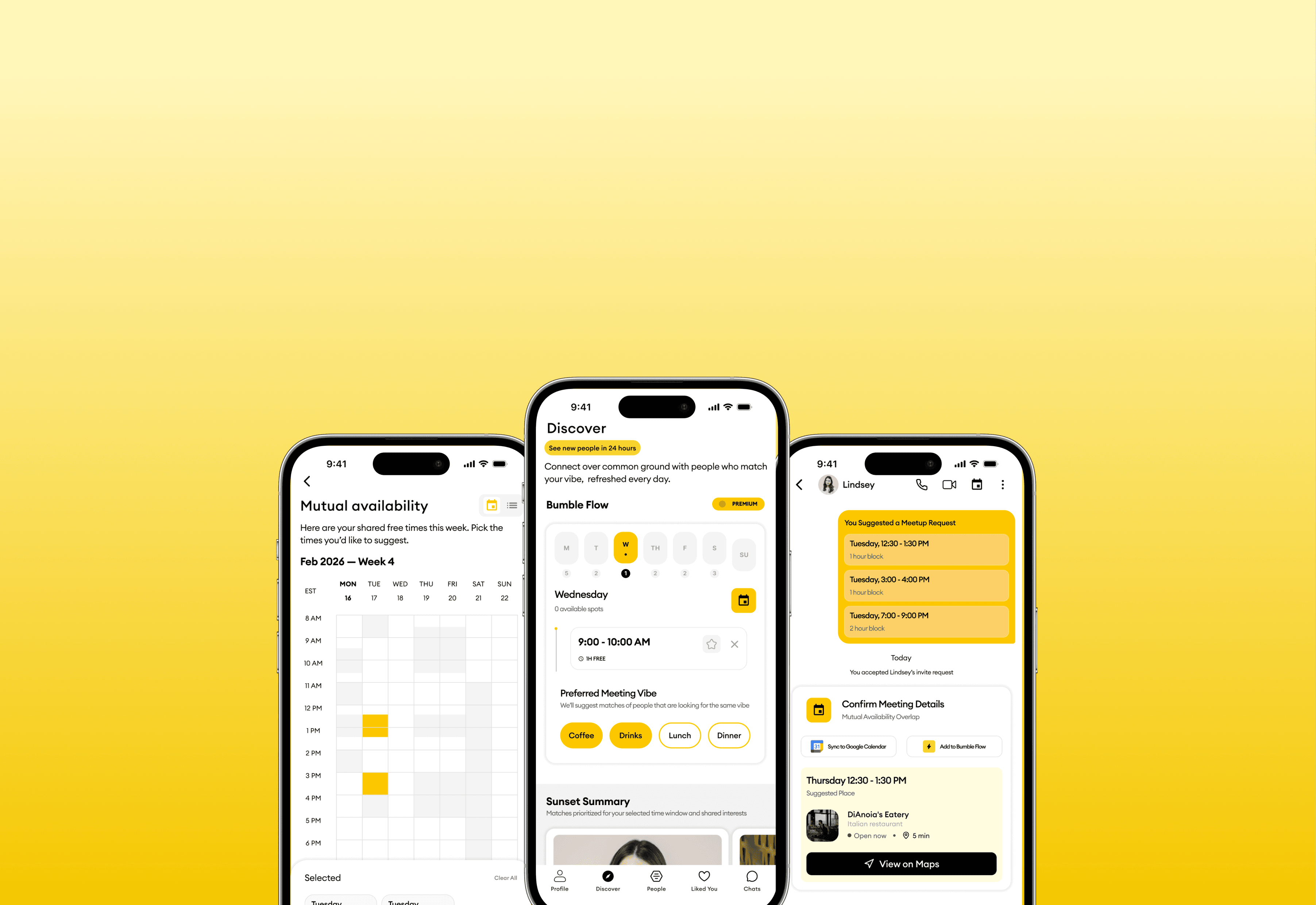
A workflow engine built on long-term memory across apps, a context-aware copilot, and a workstream timeline that helps users resume work.
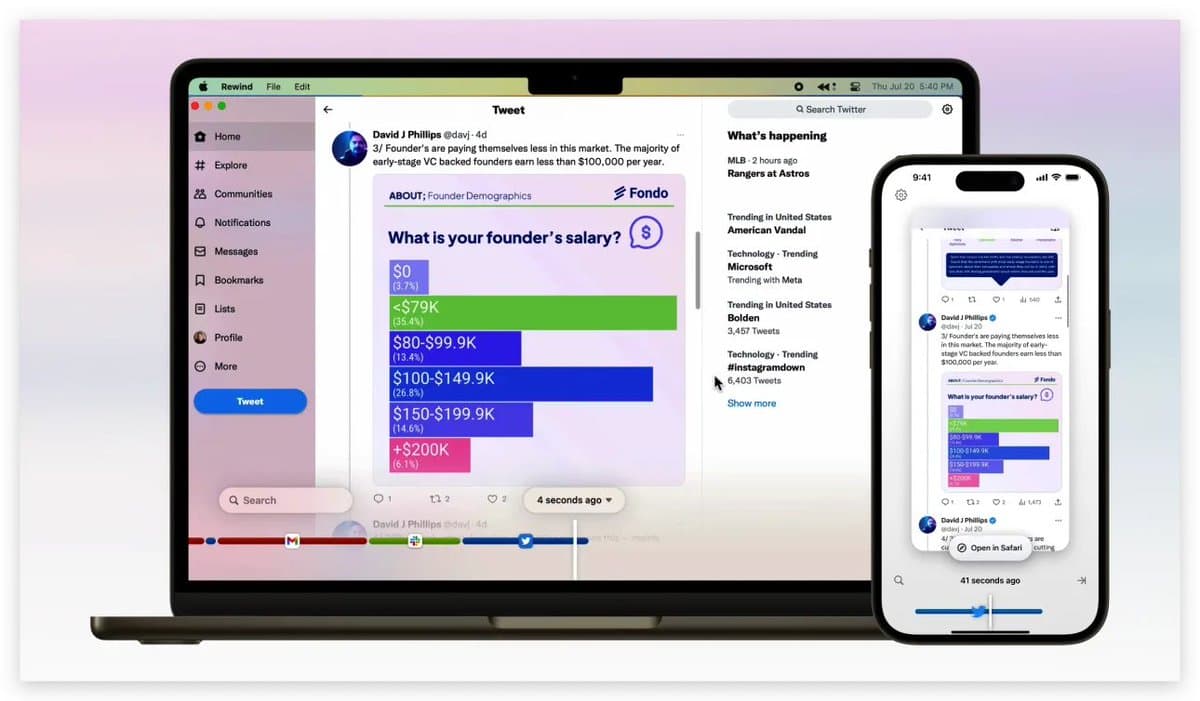
A passive memory system that automatically records and indexes digital activity, turning everyday context into searchable memory.
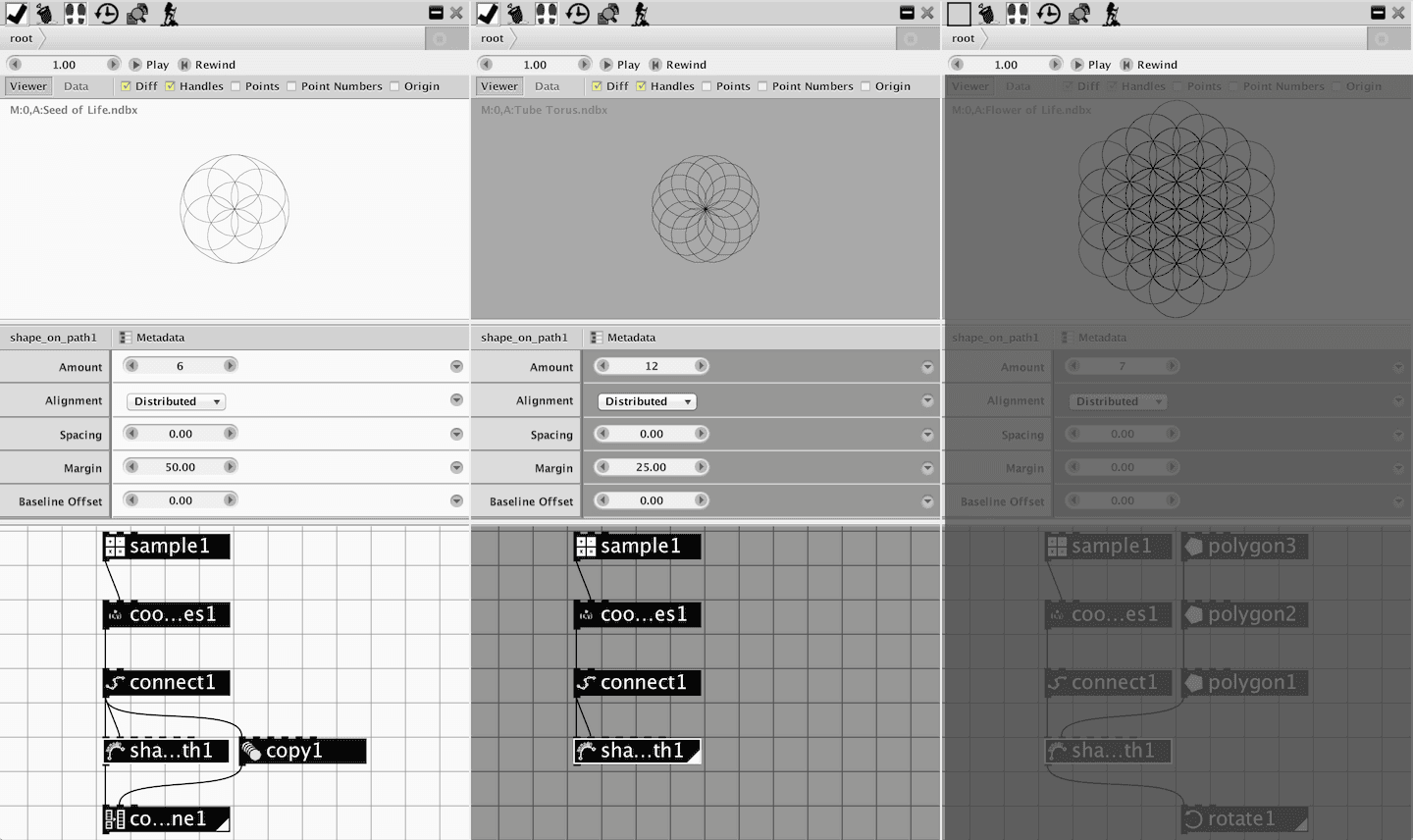
A graph-based design tool built for non-linear workflows, allowing designers to branch, merge, and compare multiple design directions in parallel.
Synthesis
Across all three sources, the same tension emerged: users need enough structure to re-enter complex work without adding new overhead. GEM-NI emphasized recoverable history, Rewind AI showed the value of passive indexing, and Pieces highlighted how persistent memory supports seamless context switching.
→ Context recovery should feel lightweight, automatic, and keyword-driven.
02b · Concept Testing
We ran two rounds of concept sketching across the team. The first round helped us understand what kinds of structure felt helpful versus burdensome, and gave us clear direction on what to cut.
Momentum
Ruled out
Tabs, clusters, and linked chats created too much visual overhead. Useful ideas were buried inside a structure that felt like a second app rather than something that fits into existing flow.
Timethread
Ruled out
Users liked entry points into long chats, but time turned out to be the wrong anchor. Most people do not remember sessions by day, and a calendar view felt limiting as usage and project complexity scaled.
Concepts that moved forward
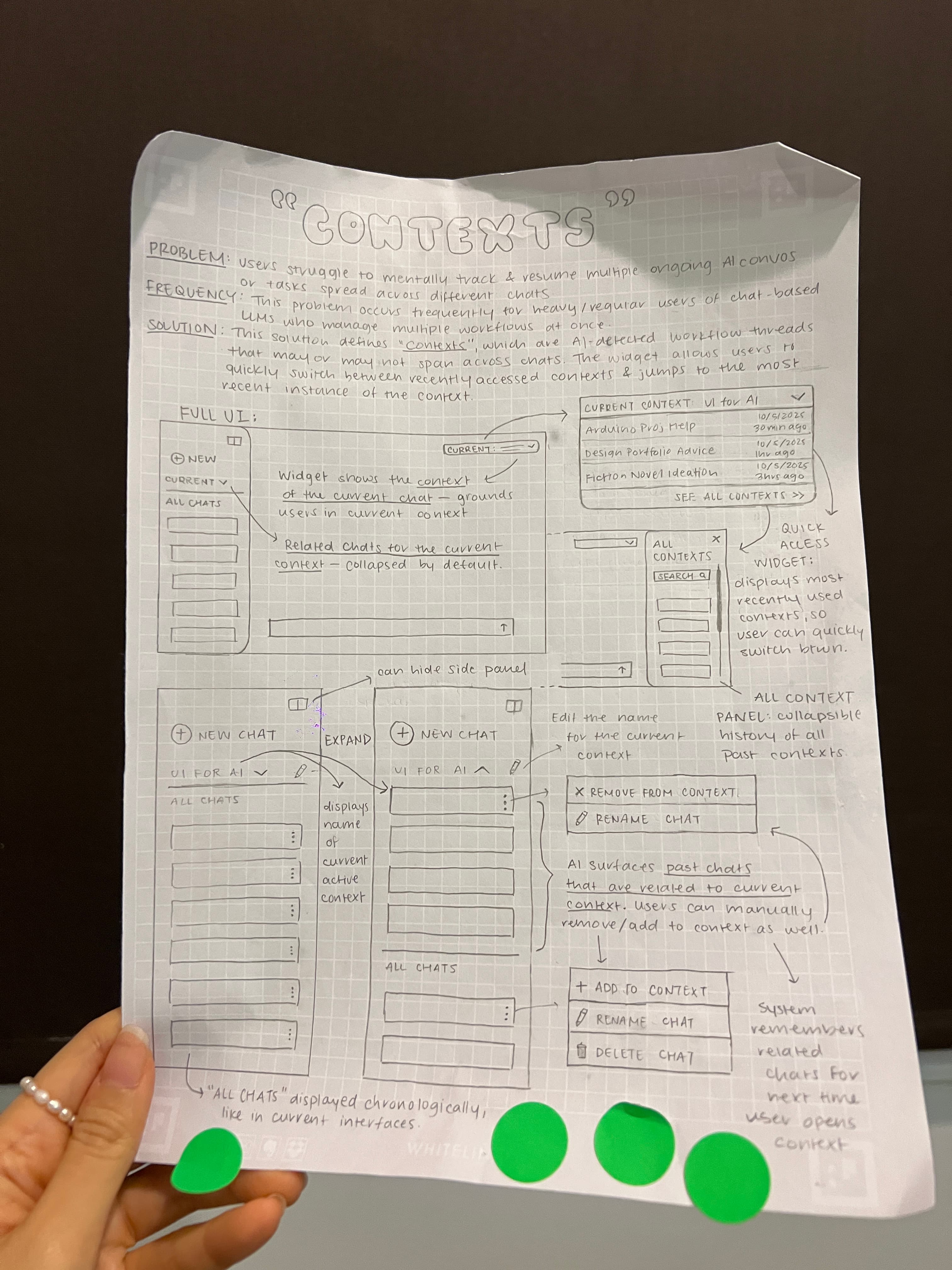
Concept 01
Contexts
AI-detected workflow threads spanning multiple chats. Users switch between recent contexts and jump to the last instance without losing their place.
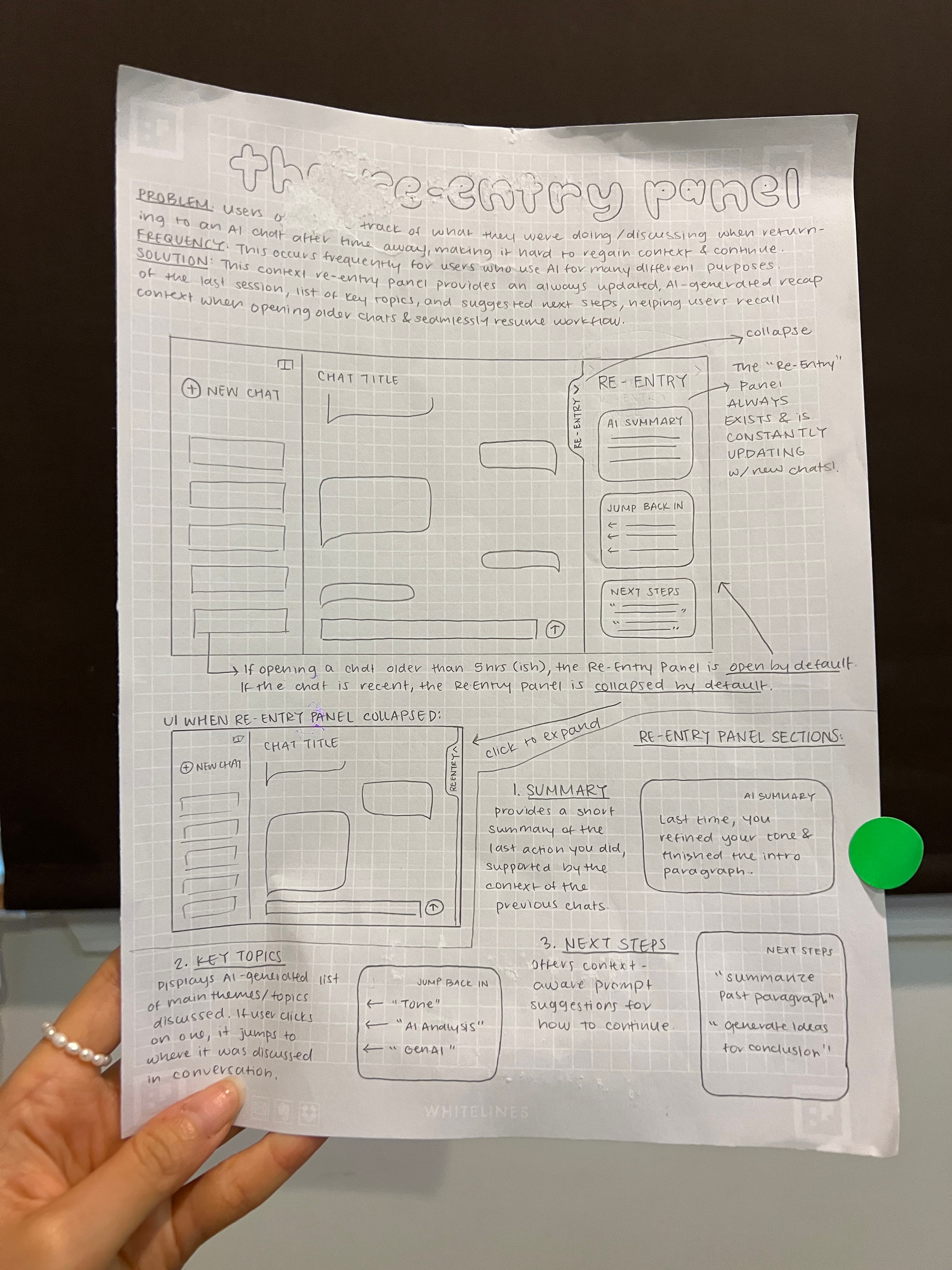
Concept 02
Re-Entry Panel
An always-updated AI recap of the last session, with key topics and suggested next steps, that opens automatically when returning to an older chat.
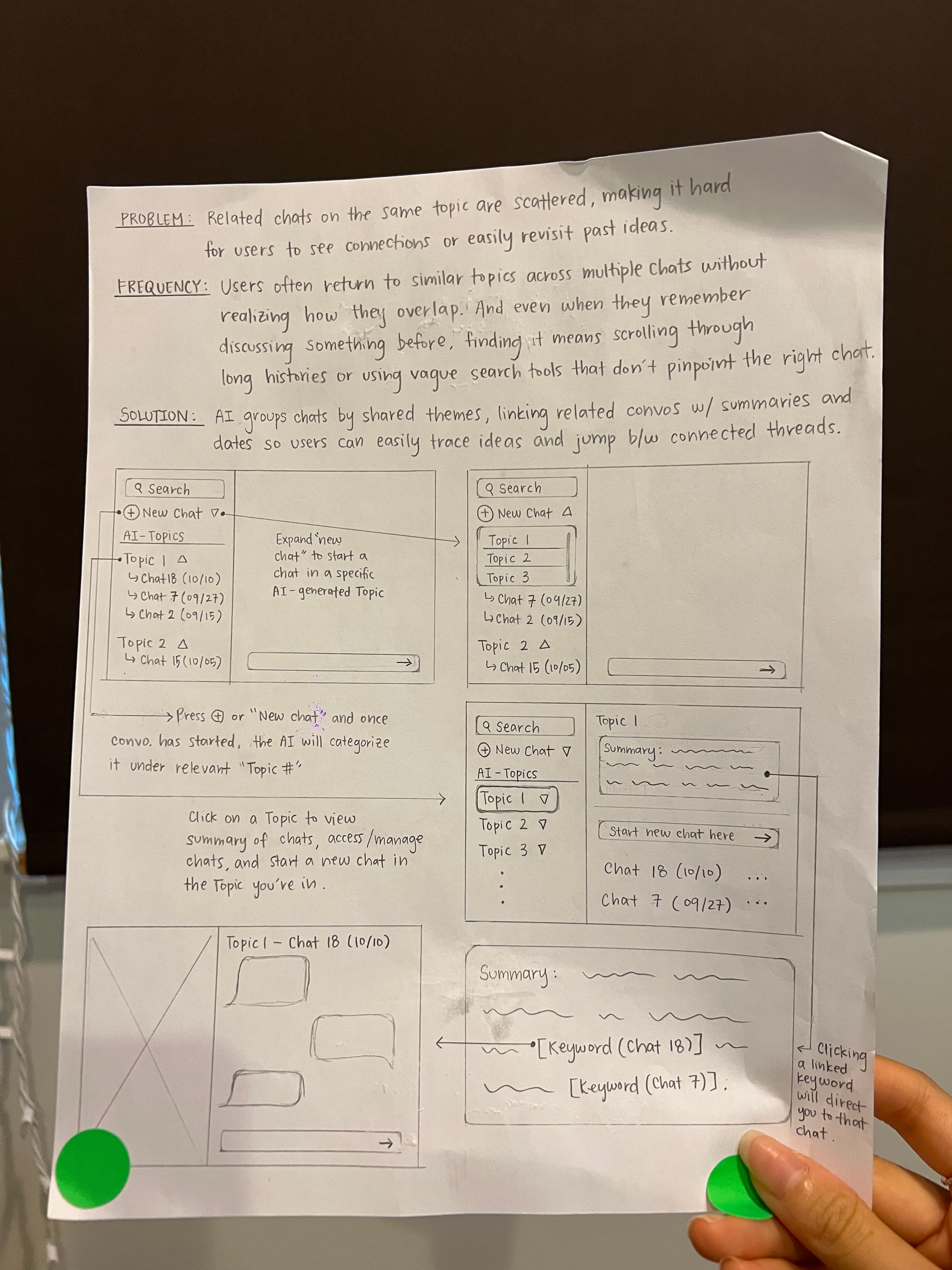
Concept 03
Thematic Chat Grouping
AI clusters chats by shared theme with summaries and dates, so users can trace ideas and jump between connected threads.
How we converged
Rather than picking one concept, the team used dot-votes and recognized that each direction solved a different slice of the same problem. We moved forward by integrating the strongest elements of all three into a single foundation for lo-fi prototyping and user testing.
03 · Testing
We started by measuring the problem directly — then ran two rounds of testing to close the gap.
Measuring the problem first
Before designing anything, we gave participants a standard AI chat with a long conversation and timed how long it took to find a specific piece of information. Most scrolled back and forth, backtracked, and ran multiple Cmd+F searches with no clear result.
~56s
Average re-entry time with standard chat
Scrolling, backtracking, repeated Cmd+F with no clear anchor point
This gave us a concrete number to design against.
Three directions, one clear signal
We put three directions in front of users. Two earned their place and merged into the design we'd build. The third was set aside.
Click an idea to expand it and see the prototype.
The two validated directions merged into one experience: an automatic in-chat recap with topics, plus a side panel that surfaces relevant past conversations when you need them.
Narrowing to what users actually valued
With Task Contexts set aside, the team committed to the combined Re-Entry experience and moved the AI summary directly into the chat, expanding automatically when users returned. No extra steps required.
Validating with the real thing
We rebuilt in hi-fi and ran the same timing task against the baseline. Re-entry time dropped to 29 seconds. One more insight surfaced: users wanted to act on Next Steps immediately while typing, not read them in a panel. It moved into the chat input where the action was.
29s
Avg. re-entry time with hi-fi panel
~48%
Faster than the 56s baseline
16ppl
Participants across both rounds
04 · Solution
The panel lives alongside the chat and stays available throughout the conversation. Users can expand or collapse it whenever they need help reorienting — surfacing structure and familiar cues without requiring a scroll through the full transcript.
Users type keywords they remember — a hotel name, a topic, a file — and the system surfaces relevant past messages. AI-generated topics organize the conversation into scannable sections, giving users both a keyword path and a structural map back into their work.
A collapsible summary appears when you return, catching you up without re-reading the last ten messages. Once reoriented, context-aware Next Steps appear directly in the chat input — pre-filling prompts so users can continue with a single click rather than starting from a blank box.
Work rarely lives in one window. Side-by-Side Reference lets users pull up related chats in the same view, drag outputs across conversations, and merge threads when they belong together — carrying key context, preferences, and decisions forward automatically.
05 · Reflection
Re-entry breaks down when people remember fragments, not timelines. Our solution meets users where they are — searching by keyword, jumping by topic, or picking up from a summary — rather than forcing them to scroll until something looks familiar.
The core frustration was finding past outputs, not generating new ones. Treating chat history as a recoverable asset changes the whole experience.
The best interactions required the least new behavior. Automation and quick recall work best when they surface in the moment, right in the main chat, not in a panel users have to seek out.
This project gestures toward a future where AI chats work less like disposable conversations and more like spaces you can actually return to.
More case studies